AIQBee relies on Time Periods to generate roadmaps, and time relevant responses and documents.
Time periods can reflect whatever frequency that you choose to produce roadmaps, portfolios and other reports.
You can setup Time Periods by navigating to Setup in the top menu and Selecting Time Periods on the left-hand side.
Loading this page will show you existing Time Periods
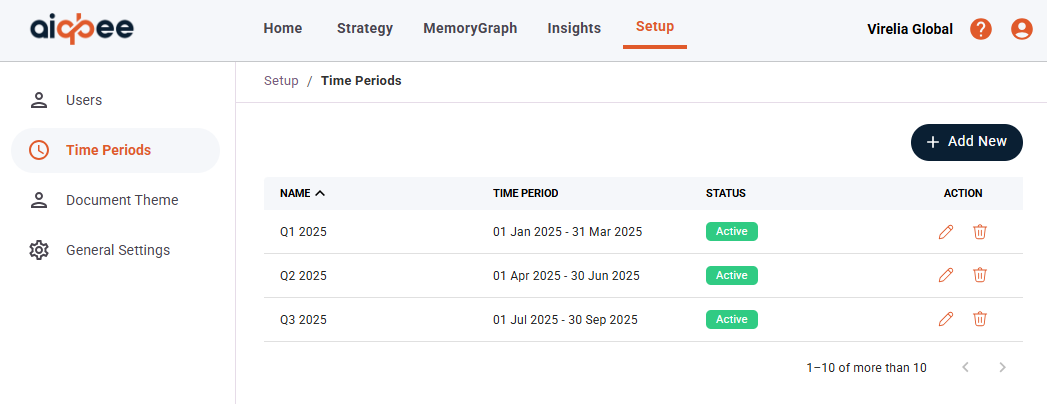
You can add more by selecting + Add New and completing the form.
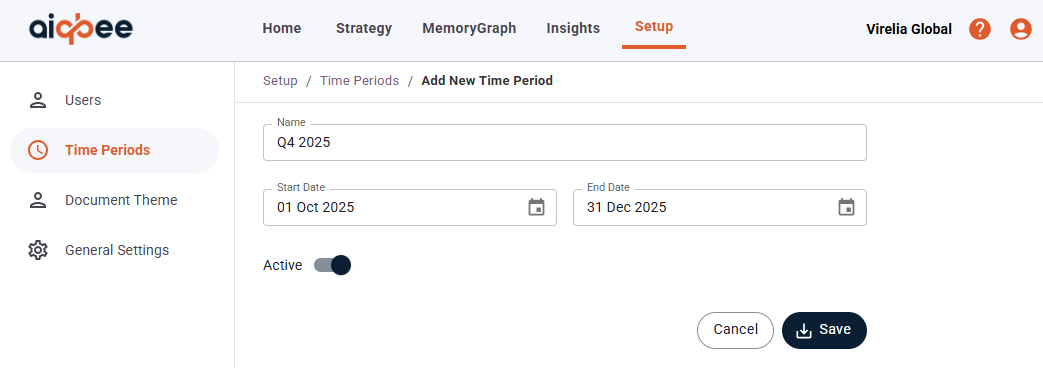
You will need to enter:
- A Name for your Time Period such as "Jan 2025", "Sprint 7", "Q1 2026"
- Start Date and End Date
- And select Active or deselect to hide from use in the AIQBee application
Was this article helpful?
That’s Great!
Thank you for your feedback
Sorry! We couldn't be helpful
Thank you for your feedback
Feedback sent
We appreciate your effort and will try to fix the article