AIQBee provides functionality to Generate Documents using your AIQBee Memory Graph and other data.
This means that AIQBee can quickly create documents aimed at different audiences, based on the information AIQBee has been provided in the Memory Graph, Document Repository, Portfolios and more.
When generating documents, AIQBee can produce Word documents or PowerPoint documents using your company logo, colors, fonts and more.
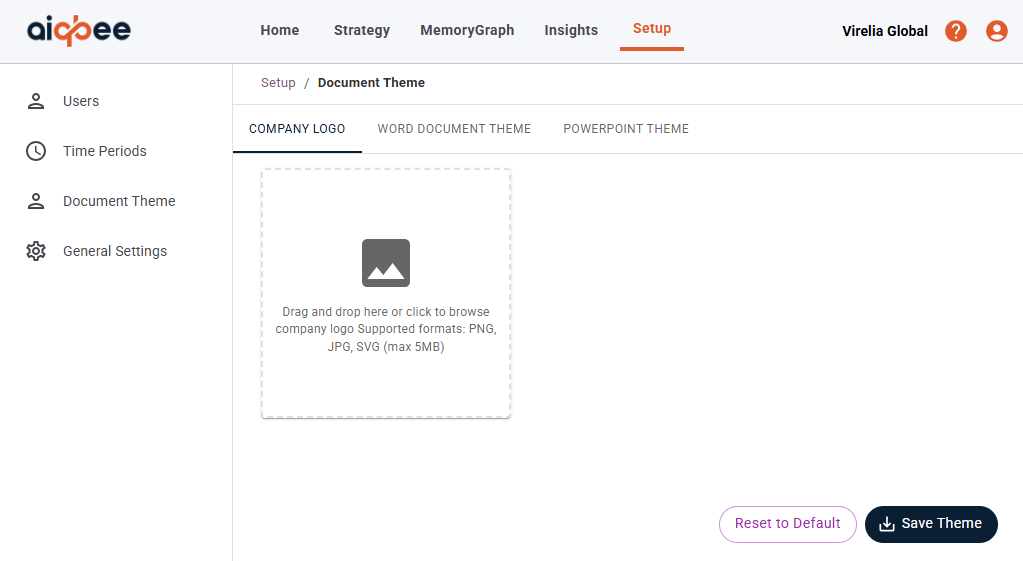
You can configure this by selecting Setup on the top menu and then Document Theme.
You will find 3 tabs to configure
- Company Logo
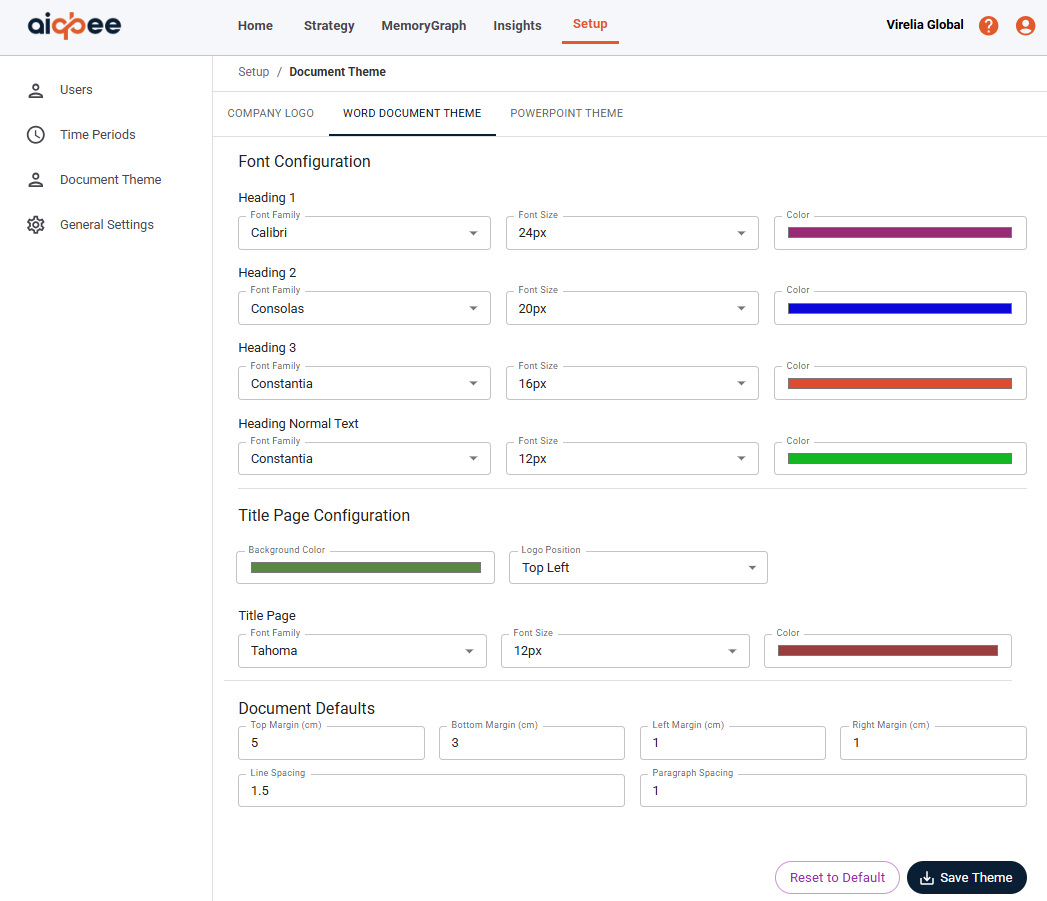
- Word Document Theme
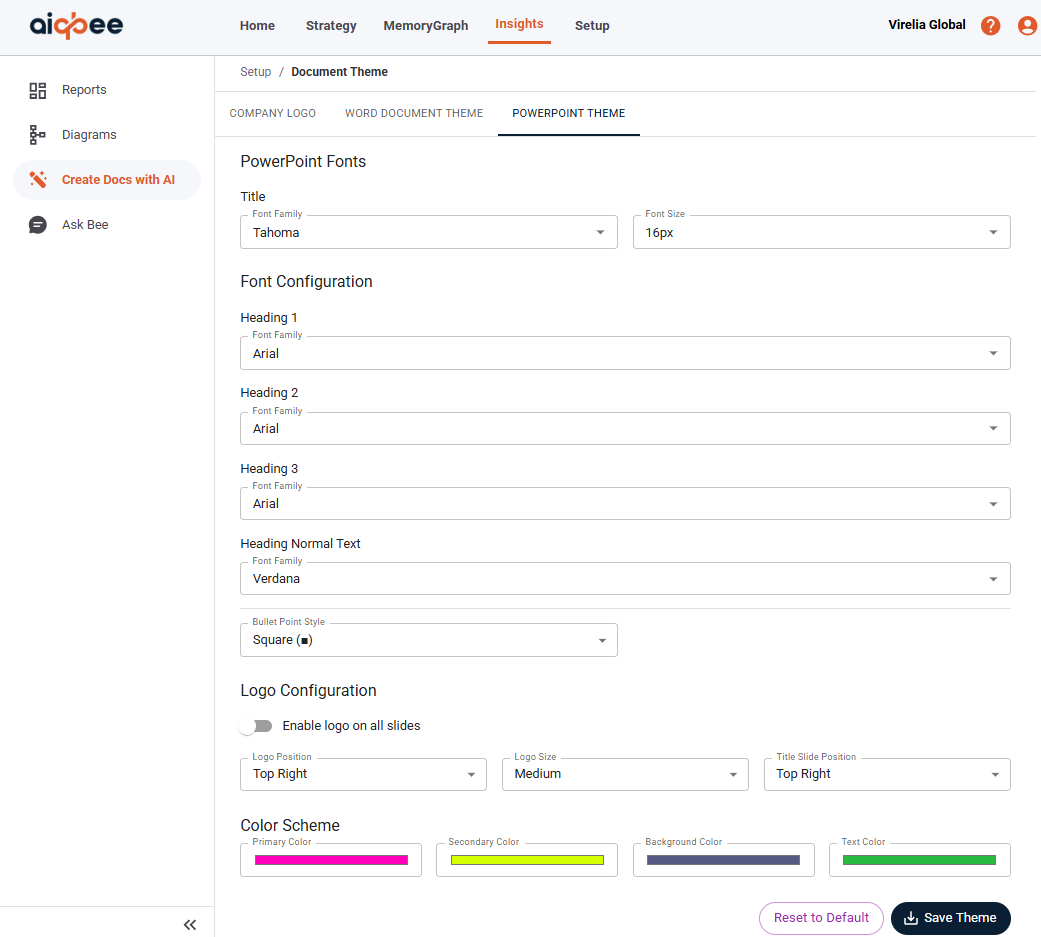
- PowerPoint Theme.
To configure your logo, simply upload your Company Logo and select Save Theme.
To configure your Word Document Theme open the menu item
From here you can configure the following:
- Font family, size and color for Headings, Content and Title Pages
- Title Page background color, logo position and font settings3
- Document Defaults for Margins and font spacing
To configure your PowerPoint Document Theme, open the menu item
From here you can configure the following:
- Font family, size and color for Headings, Content and Title Pages
- Title Page font settings
- Logo settings for position, size and location
- PowerPoint slide Color Scheme for Primary, Secondary, Background and Text Color
Was this article helpful?
That’s Great!
Thank you for your feedback
Sorry! We couldn't be helpful
Thank you for your feedback
Feedback sent
We appreciate your effort and will try to fix the article