When setting up the AIQBee application, you must provide some information that can be used to localize your content.
For example, if you configure Singapore Dollar as your currency, the Ask Bee AI and the connected MCP services, as well as all the product portfolio configuration will use Singapore Dollar as the currency in the reponses.
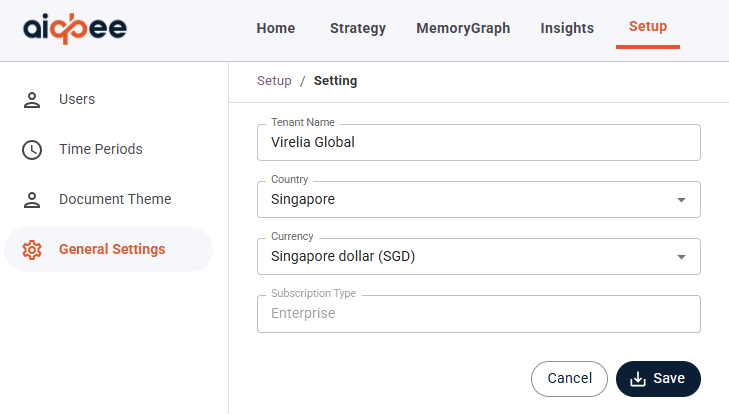
During the setup process, these options will be required but can be changed by going to Setup at the top of the page and then General Settings in the left-hand menu.
From this page you can manage:
- Your Tenant Name (i.e. your company name)
- The Country of your company's primary location
- The Currency that you use (USD, GBP, etc)
- Your Subscription Type (see our available subscriptions for more details about what functionality each subscription provides)
Was this article helpful?
That’s Great!
Thank you for your feedback
Sorry! We couldn't be helpful
Thank you for your feedback
Feedback sent
We appreciate your effort and will try to fix the article