Note: In order to use Connectors in Claude, first make sure you are using the correct subscription tier.
AIQBee is not yet published as a pre-approved connector. So, the following steps are required to leverage MCP with AIQBee.
Steps:
- From the home page go to the bottom left, and then select Settings
- Click Connectors
- Select Add Custom Connector
- Create a new connector by entering the following details
Name: AIQBee
MCP Server URL: https://mcp.aiqbee.com
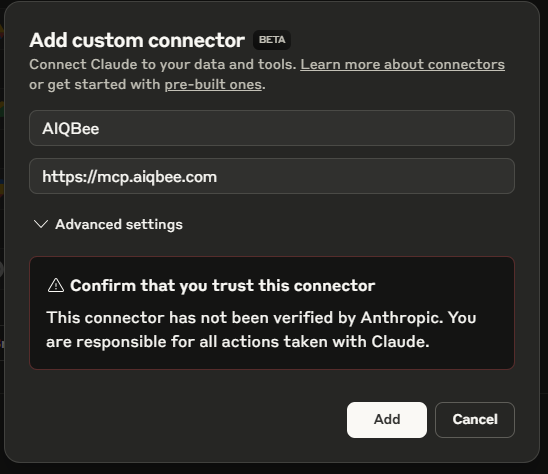
- Then Select Add
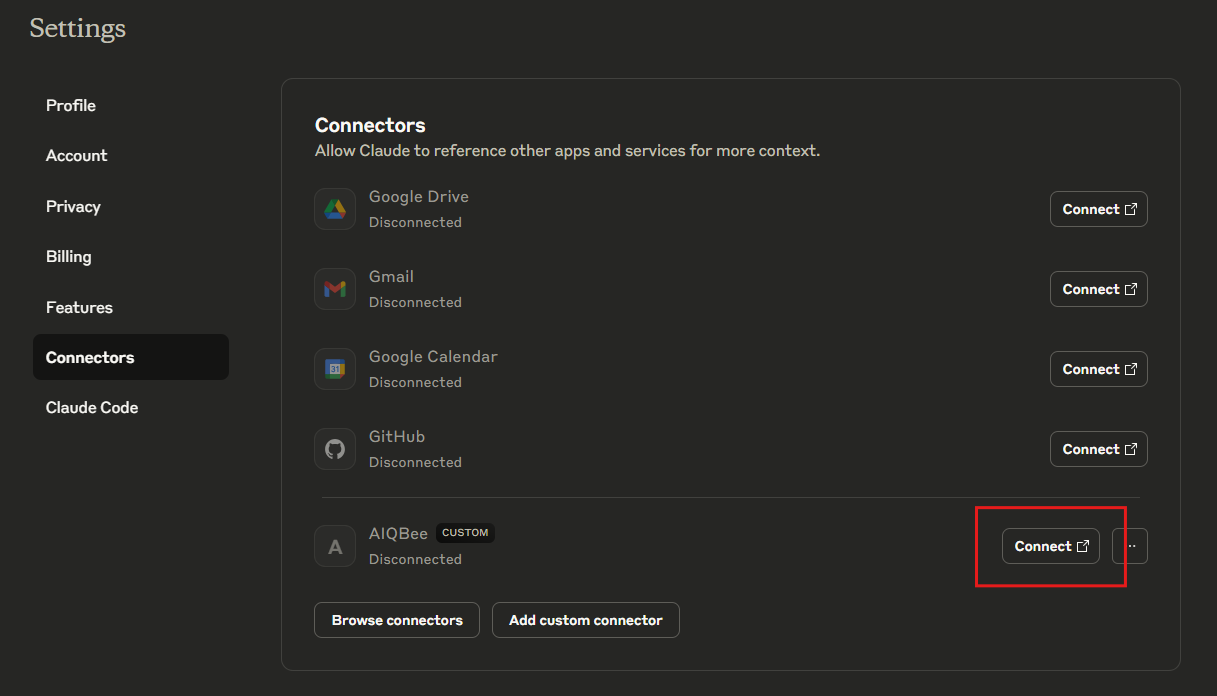
- You will now see AIQBee in the Connectors list, Select Connect and authenticate with AIQBee
Was this article helpful?
That’s Great!
Thank you for your feedback
Sorry! We couldn't be helpful
Thank you for your feedback
Feedback sent
We appreciate your effort and will try to fix the article